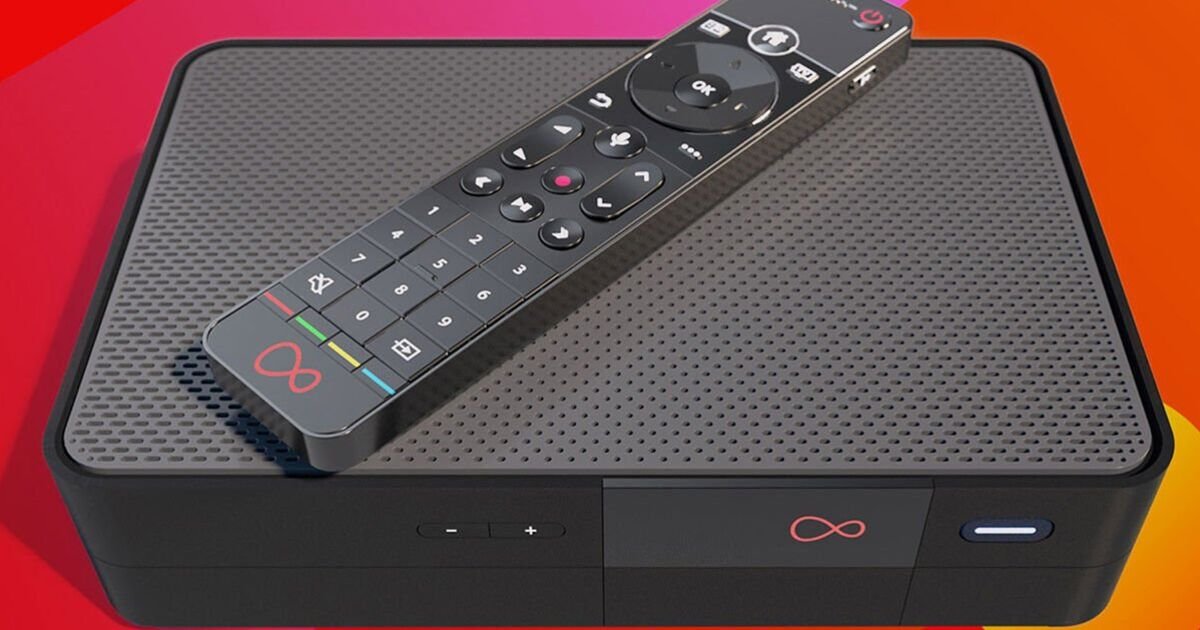

Virgin Media is rolling out a free upgrade to its TV boxes, giving millions of customers a smarter way to find something to watch. The telecoms giant has just announced the launch of Smart Search, a new feature designed to end the frustration of endlessly scrolling through TV menus in search of something decent. The clever upgrade makes discovering new shows and films much more conversational. There’s no need to remember exact titles or spend ages browsing through endless lists. Instead, simply tell your remote what you’re in the mood for and let Virgin do the hard work.
Explaining how it works, Virgin said: “Ever spent more time scrolling through TV menus than actually watching something? Whether you’re after a feel-good film, a comedy to watch with friends or something new for family movie night, finding the perfect pick shouldn’t feel like a mission.
“That’s where Smart Search comes in. Forget needing exact titles. Simply describe what you fancy watching and Smart Search will recommend something that matches what you have in mind.”
Once the update arrives, viewers will be able to make requests such as “find a feel-good film”, “show me new releases” or “load a space adventure film”. Smart Search will then bring up a selection of recommendations based on what they’ve asked for.
The more detail you provide, the better the results should be. Searches such as “funny films” or “action movies” help the system understand exactly what you’re after.
You can also search by an actor’s name, a particular genre, or plot details. That means even if you’ve forgotten the name of a film, you should still be able to track it down.
Here’s how to use Virgin Media Smart Search:
Press and hold the microphone button on your Virgin Media remote.
Tell your remote what you want to watch. This could be a genre, a mood, an actor or even a description of the type of entertainment you’re after.
Smart Search will produce a list of relevant recommendations based on your request.
Browse the results, pick something you like and settle down to watch.
Speaking about the launch, Louise Fussell, TV & Entertainment Product Director at Virgin Media, said: “With nearly 60% of viewers wanting a helping hand in finding what to watch, we’ve launched Smart Search on Virgin TV to make content discovery quicker, simpler and more intuitive than ever before.
“By understanding how viewers naturally talk, Smart Search helps to cut the endless scroll and surface relevant recommendations in seconds so viewers can spend less time searching and more time enjoying the entertainment they love.”
See more of the stories you love from Daily Express and find us easily in Google by making us a Preferred Source. Free and easy-to-do, just click here to activate or add us as Preferred Source in your Google search settings.
